

Position Cards (Dashboard)
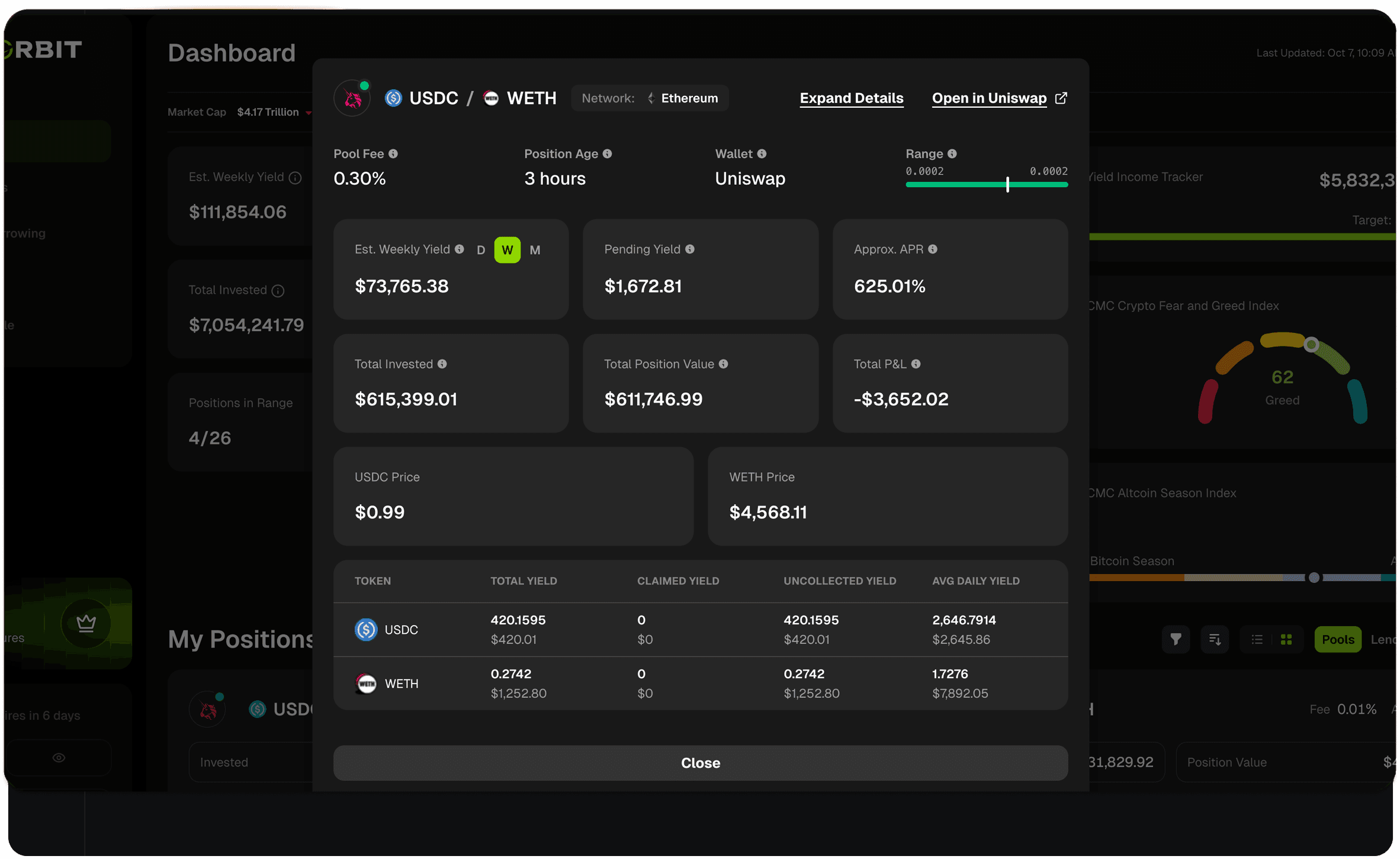
Accessing Position Details
From your Portfolio Dashboard:- Click on any position card in your “My Positions” section
- A detailed modal opens showing complete position information
- Click “Close” or outside the modal to return to your dashboard
Active Position Information
Position Header
Top Row Metrics
Yield & Performance Metrics
Portfolio Value Metrics
Fees Breakdown Table
Closed Position Information
For positions that are no longer active, you’ll see a “This Position is Inactive” banner on the card, and the metrics reflect the final state of the position:Quick Actions
Expand Insights
Click “Expand Insights” to open the position’s full detail page with:- Additional position metrics
- Historical price and rate charts (full history on higher plans)
- Complete transaction history
- More detailed analytics
Open in Uniswap (or Protocol)
Click the protocol button (e.g., “Uniswap”, “Orca”) to:- View the position on the native protocol interface
- Claim pending fees
- Add or remove liquidity
- Close the position
- Adjust price ranges